
 Look how old this is!
 I post at SearchCommander.com now, and this post was published 16 years 6 months 27 days ago. This industry changes FAST, so blindly following the advice here *may not* be a good idea! If you're at all unsure, feel free to hit me up on Twitter and ask.
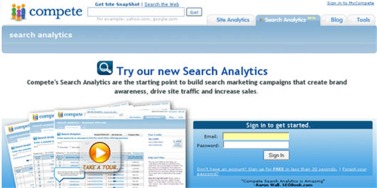
I got my invitation to the public beta of the Compete.com Search Analytics program today. Since I had some extra time on my hands, I signed up for a new account.
The first thing I noticed was that they asked my household income, but never does ask for a company name. That seems odd, considering I’m looking at using this on an enterprise level, but I did proceed anyway.
Immediately upon sign-up, I was taken to the regular Compete.com dashboard, so I hit the Search Analytics tab. I decided to take the tour of Search Analytics, because I’m specifically interested in finding out what the heck this is all about.
Unlike other services that offer unlimited access for a flat annual fee, it appears as if each search is going to be debited a certain amount of credits that are purchased in advance. This “pay as you go” model already in use by my favorite keyword research tool (and affiliate), Nichebot, so I have no problem there.
I took their site product tour that was simply screen shots and text on static page after static page. I would’ve preferred a quick video overview, but perhaps that’s coming later.
At the end of the tour I was taken to a call to action to buy credits immediately, with prices ranging from $500 to a $20 starter pack. Spending the maximum does give you a bit over 10% in free credits, but just to test it I started low
No PayPal payment accepted (awww) but I was able to buy $50 worth with a credit card pretty quickly. I was immediately taken into the system, in my credits were showing on my scoreboard of accumulated credits off to the right.
Their data is apparently based on the most recent 90 days of activity, and based on all of the top 5 search engines data – Google, Yahoo!, MSN/Live, Ask, and AOL combined.
That sounds like a pretty handy thing to have around…
There are three kinds of competition reports you can run there –
- Keyword referral – where you enter the keywords or phrases to find the most frequently referred domains
- Site referral – where you enter a domain to find the most often referring to keywords or phrases
- Compare sites – where you enter two domains to see a comparison for keyword referrals
Keyword referral report –
I tested this by using my most competitive clients’ number one key phrase, and I did come up with the competition I expected. Interestingly, the fact that there were more than 10 results allowed me to look beyond the typical page 1, and I can see where running this on regular basis could help identify up and coming competition. However, I don’t consider this report to be very useful otherwise.
I was shown the first 50 results, and offered a look at the entire list of 205 results for 2 more credits, which I declined.
The columns for sorting were interesting, and they were separated into five sections.
- Search referral rank – the ranking position of the site based on the total number of Search referrals each site receives from the specified key phrase
- Domain name – for alphabetical sorting, should you desire
- Keyword share – this is the percentage of total referrals the site receives from a keyword compared to the other sites
- Site share – the percentage of all search referrals to a site from a keyword
- Average monthly search referrals – this is based on the total average number of ALL monthly search referrals for all phrases, and not limited to your chosen phrase for the report.
I found it difficult to distinguish between the columns, even though I “speak the language”, so I clicked the contact link, and then picked up the phone to call their customer service line, and there was no option for support.
Pressing zero as directed got me no answer and a repeat of their message, and this time I pressed the extension for sales, and ultimately got a voicemail with a person’s name. Instead of leaving a message though, I just hung up and went back to testing on my own.
I guess being in Boston, they were closed for the day since it was after 5 p.m. over there. (Seems like an odd time of the day to send out an e-mail for me to join, but maybe they’ve been trickling out all day)
I went to save my report, so I could go on to the next tab and test, but oddly there was no save option available. I was however able to export the file as a CSV, and I did so easily.
From right inside that report, I was able to go to a site analytics chart that showed a nice upward graph for my client over the past 12 months.
Oddly, when I returned to the tab for search analytics, my report was gone, no longer able to be viewed. I guess I’m glad I saved the CSV file first!
Site referral report
For this report I chose my client’s number one competitor, to see what sort of spy information I could get about their most active keywords. Since they are in the same industry is my client I suspected, they wouldn’t be much different, and I only got the top 50.
This report also had five columns –
- Volume rank – show the ranking order for the top referrals by number of searches for each given keyword to the specified site.
- Keyword – listing of key phrases
- Site Share – this is the percentage of all search referrals that her to a website for any given search phrase. I was instantly able to see that 37% of all this competitors’ traffic came from one phrase.
- Keyword engagement – this is an index which represents the average amount of time spent on the referral site after entering each of the key phrases. The higher the number, the more engaged visitors get on your competitor’s website. Also a handy snapshot.
- Keyword effectiveness – this combines the total number of people referred by a certain search term and the amount of time those people spend on the website. The results are ranked one to 100, with a hundred obviously being the highest. Sorting by keyword effectiveness instantly showed me the top phrases for this competitor.
I do like these different sorting options, but I was still a bit confused to note that the keyword engagement and keyword effectiveness columns offered completely different information. I guess I’ll have to talk to them by phone for clarification, and have now left a voicemail message to please call me back.
I exported the report easily, but when I saved it did not put the domain name I was researching in the file. If I were to do multiple competitor research for a client this seems like he would be a handy feature. Still, there is no option to save reports in the system, unfortunately.
I realized that I didn’t make note of the total number of results or make not of get the price offer for all of them, but by the time I did, the report was gone, and in order to do it again I had to rerun my original query, where I assumed it would charge me a second time, but it did not. (Thank you!)
My report reappeared, my credits did not drop, and I was offered the entire list of 328 most frequent phrases for an additional 5 credits.
I did buy this list, but I can tell you that this particular site must have thousands of referring phrases, and I can’t imagine how it could be cut off at just 328. That’s a little troubling to me.
Compare sites report
Finally, I ran the last report and this one cost two credits instead of only one. Again it’s showing just me the top 50 terms, and offered me the total of 707 for an additional 10 credits. That seems like a pretty fair chunk of cash for a complete report, so I passed, interested again only in the top 50
The criteria in the columns was in only four categories this time –
- Volume rank – showed the volume (value) of each search term
- Key phrase – showed each search term
- Keyword volume advantage – the difference on a percentage basis in keyword share for each of the websites. This showed an arrow pointing in the direction of the “winner” and gave a percentage value
- Engagement advantage – the difference on a percentage basis in “time spent on website for each of the websites. This also showed an arrow pointing in the direction of the “winner”
To be honest, my initial experience on compete.com was somewhat less than satisfying since I can’t save the reports online, and I’m having the confusion over the differences in what the columns mean.
Other than some interesting research and cool graphs, this service seems to offer no real suggestions or additional research options concerning how to capitalize on the data you discover. This means the appeal will be limited to experienced search marketing firms, which I suppose is the intent, but then why not ask my business name at signup? I thought it might be an end user tool.
Still, having a few handy tips about what to do with your competitive analysis certainly can’t hurt, in my opinion.
Combined with their lack of tech support after hours, or even a support option specified when you phone, it may likely will be some time before he gave in and spend the remainder of my $50.
If you don’t already have another preferred tool for competition analysis, and you don’t mind the pay as you go method, I do recommend you give it a try.













