|
|
|
|
|
|
|
|
How do I manually add subscribers
|
|
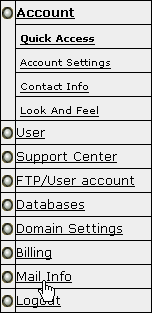
Step 1: Login to your Email Manager. Click on the Email icon in your Control Panel. Or choose the Mail Info link in the menu. |
|
|
|
Step 2: Choose the Domain. Choose the domain that you wish to work with and click Go. |
|
|
|
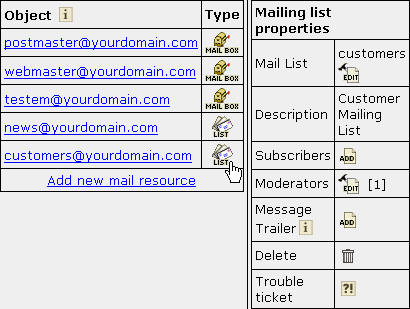
Step 3: Select the Mailing list. Click on the List icon next to the name of the Mailing list. |
|
|
|
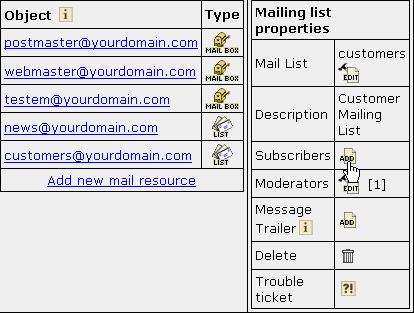
Step 4: Add subscribers to the Mailing list. Click on the Add icon next to the Subscribers in the Mailing list properties section of the mail resource. |
|
|
|
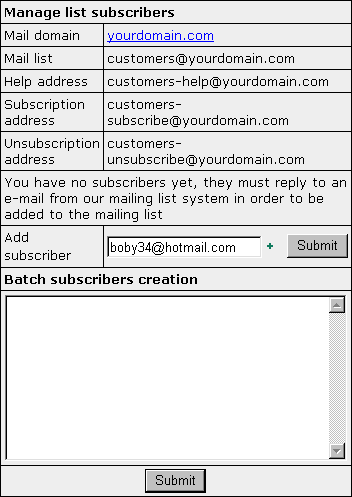
Step 5: Enter a new Subscriber. If you have clicked Add icon, the following form will appear: |
|
|
|
1. Enter the e-mail addressof the subscriber in the edit box. |
|
|